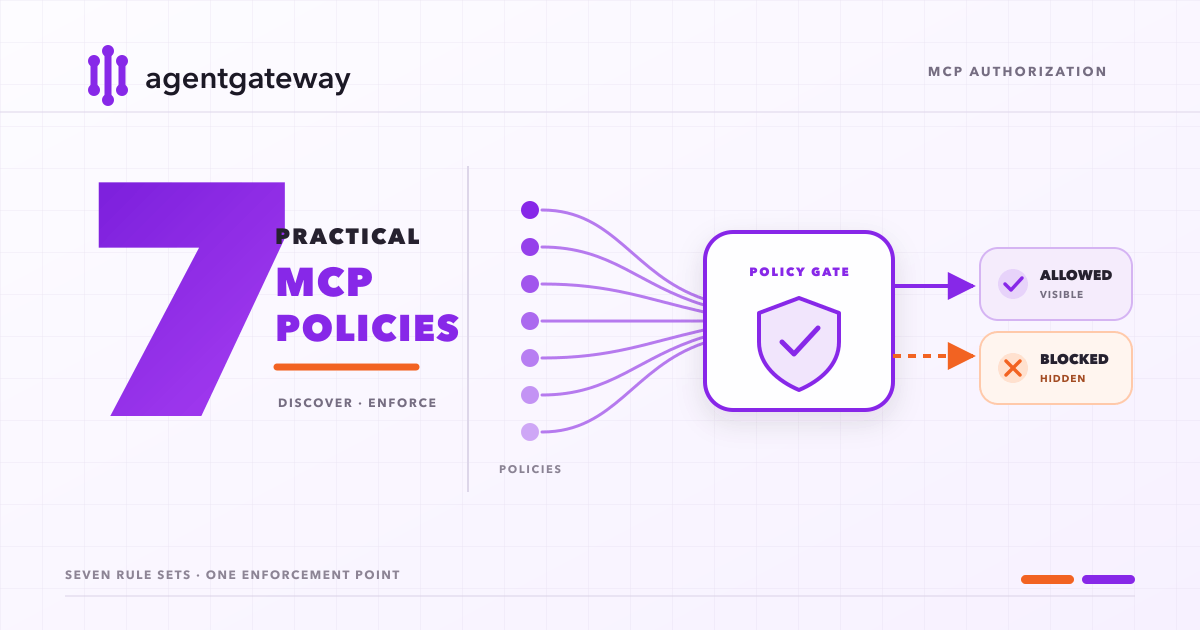
HTTP gateways normally authorize requests using paths, headers, and caller identity. MCP puts many operations on one JSON-RPC endpoint:
tools/list, tools/call, prompts/get, and resources/read all arrive as POST requests with JSON bodies.Agentgateway parses MCP, so its policies can match tools, prompts, resources, backend targets, and authenticated identities.
Authorization runs at two points:
- During discovery, it removes capabilities the client cannot use from MCP list responses.
- Before execution, it authorizes each tool call, prompt retrieval, or resource read again.
The examples use Server Everything where possible. They cover a three-tool allowlist, release automation, authenticated federation, read-only assistants, and payload inspection with ExtMCP.
One endpoint, many operations
Server Everything exposes
echo, get-sum, and show-weather-dashboard, among other tools. All three use the same HTTP route. A gateway limited to paths and headers cannot distinguish them without parsing JSON-RPC.That lets the gateway filter a tool catalog before it reaches the client:
Rendering diagram…
The client sees only capabilities allowed for its identity. Filtering keeps unavailable tools out of model context, while call-time authorization provides the security boundary. Even a hand-written
tools/call for hidden get-sum must pass the policy before agentgateway forwards it.Filter Server Everything down to one tool
Connect agentgateway to the hosted Server Everything reference server and allow only its
echo tool:mcp:
port: 3333
policies:
mcpAuthorization:
rules:
- 'mcp.tool.name == "echo"'
targets:
- name: everything
mcp:
host: https://servereverything.dev/mcp
Start the gateway:
agentgateway -f config.yaml
Agentgateway listens for MCP traffic on port
3333 and serves its administration UI at http://localhost:15000/ui. The MCP Tool Playground in that UI can initialize a session, run tools/list, and call the exposed tool.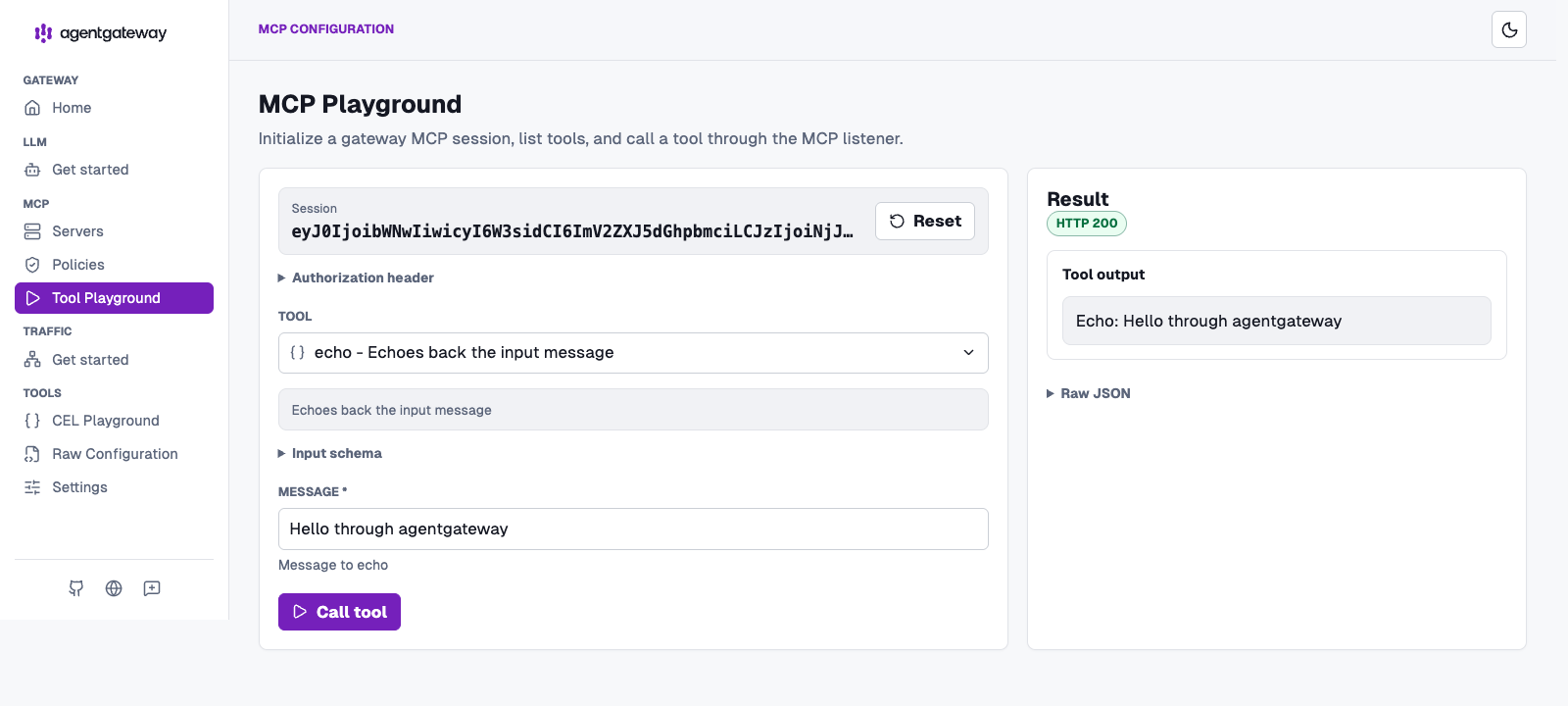
Server Everything publishes a much larger catalog. Through agentgateway, the playground discovers only
echo, and the HTTP 200 response confirms that allowed calls still reach the upstream server.How allow, deny, and require combine
Agentgateway authorization rules use the Common Expression Language and support three effects:
mcpAuthorization:
  rules:
    - allow: 'mcp.tool.name == "echo"'
    - allow: 'jwt.sub == "release-agent" && mcp.tool.name == "show-weather-dashboard"'
    - deny: 'mcp.tool.name == "toggle-simulated-logging"'
    - require: 'has(jwt.sub)'
Plain strings mean
allow.They combine as follows:
deny: any match rejects the operation.require: every rule must evaluate to true.allow: when allow rules exist, at least one must match.- No rules means access is allowed.
- With only deny rules, non-matching operations are allowed, giving denylist behavior.
Evaluation runs in deny, require, allow order. Requirements accumulate, and any allow rule changes the fallback from allow to deny. In the combined example,
require: 'has(jwt.sub)' applies to every operation, including echo.Rendering diagram…
How agentgateway filters a session
After initialization, agentgateway fetches the upstream catalog, evaluates each item, and returns only allowed entries. It repeats authorization for every invocation, so hiding an item never substitutes for enforcement:
Rendering diagram…
Agentgateway compiles CEL when it loads the configuration. Check a policy without starting the listener:
agentgateway --validate-only -f config.yaml
An invalid expression fails configuration validation.
Seven policy configurations
Capability names and JWT claims fit CEL rules. Arguments and returned data require ExtMCP.
1. Expose only the tools an agent needs
An allowlist keeps a large upstream catalog out of an agent's context. This configuration exposes three tools and hides everything else:
mcp:
  port: 3333
  policies:
    mcpAuthorization:
      rules:
        - allow: |
            mcp.tool.name == "echo" ||
            mcp.tool.name == "get-sum" ||
            mcp.tool.name == "get-structured-content"
  targets:
    - name: everything
      mcp:
        host: https://servereverything.dev/mcp
Use this for coding agents, CI jobs, and support assistants with a narrow task. The client never receives the other tool definitions, and a handcrafted call to a hidden tool is still rejected.
2. Block known side effects
Use a denylist only when you trust the rest of the server and need to remove a short list of side-effecting operations:
mcp:
  port: 3333
  policies:
    mcpAuthorization:
      rules:
        - deny: |
            mcp.tool.name == "toggle-simulated-logging" ||
            mcp.tool.name == "toggle-subscriber-updates"
  targets:
    - name: everything
      mcp:
        host: https://servereverything.dev/mcp
With no allow rules, all non-matching tools remain available, including tools the upstream adds later. Prefer an allowlist when the catalog changes often or the server is outside your control.
3. Lock release automation to one service account
Run CI and deployment agents under a dedicated workload identity instead of a developer's broad permissions. Strict authentication is the default. This policy also requires
exp, aud, and sub claims and grants two tools only to release-bot:mcp:
port: 3333
policies:
mcpAuthentication:
issuer: https://id.example.com/
audiences:
- https://mcp.example.com/mcp
jwks:
url: https://id.example.com/.well-known/jwks.json
jwtValidationOptions:
requiredClaims:
- exp
- aud
- sub
resourceMetadata:
resource: https://mcp.example.com/mcp
scopesSupported:
- release:execute
bearerMethodsSupported:
- header
mcpAuthorization:
rules:
- allow: |
jwt.sub == "release-bot" &&
(mcp.tool.name == "echo" ||
mcp.tool.name == "get-sum")
targets:
- name: everything
mcp:
host: https://servereverything.dev/mcp
Requests without a valid token receive
401 Unauthorized. Other authenticated identities receive an empty tool catalog, and direct calls to either tool are rejected. Replace the example tools with the narrow set your release job needs.4. Keep basic tools public and reserve the rest for admins
Optional authentication lets anonymous clients use a small public surface while authenticated administrators receive additional tools. Replace the issuer, JWKS URL, audience, and role name with values from your identity provider:
mcp:
  port: 3333
  policies:
    mcpAuthentication:
      mode: optional
      issuer: https://id.example.com/
      audiences:
        - https://mcp.example.com/mcp
      jwks:
        url: https://id.example.com/.well-known/jwks.json
      resourceMetadata:
        resource: https://mcp.example.com/mcp
        scopesSupported:
          - read:tools
        bearerMethodsSupported:
          - header
    mcpAuthorization:
      rules:
        - allow: |
            mcp.tool.name == "echo" ||
            mcp.tool.name == "get-sum"
        - allow: |
            has(jwt.roles) &&
            "platform-admin" in jwt.roles
  targets:
    - name: everything
      mcp:
        host: https://servereverything.dev/mcp
Anonymous clients discover
echo and get-sum. A valid token with the platform-admin role unlocks the complete catalog. If a token is supplied in optional mode, agentgateway still validates it; an invalid token does not silently become anonymous access.For a private MCP server, omit
mode: optional. Strict authentication is the default, so requests without a valid token receive 401 Unauthorized.5. Create a read-only knowledge assistant
A documentation assistant may need approved instructions and reference material without permission to call tools. Allow the prompt and resources explicitly and omit tool rules:
mcp:
  port: 3333
  policies:
    mcpAuthorization:
      rules:
        - allow: 'mcp.prompt.name == "simple-prompt"'
        - allow: |
            mcp.resource.name == "demo://resource/static/document/instructions.md" ||
            mcp.resource.name == "demo://resource/static/document/features.md"
  targets:
    - name: everything
      mcp:
        host: https://servereverything.dev/mcp
The client receives no tools, one prompt, and the two named resources. Direct tool calls are denied. Use this for onboarding and support assistants that answer from approved material without taking actions. Resource policies match the resource URI, so the CEL expressions use full
demo:// values rather than display names.6. Federate servers without sharing credentials
A single endpoint can combine several MCP servers. Keep each upstream token on its own target, then use
mcp.tool.target to control which users can discover and call its tools:mcp:
port: 3333
policies:
mcpAuthentication:
mode: optional
issuer: https://id.example.com/
audiences:
- https://mcp.example.com/mcp
jwks:
url: https://id.example.com/.well-known/jwks.json
resourceMetadata:
resource: https://mcp.example.com/mcp
scopesSupported:
- read:tools
bearerMethodsSupported:
- header
mcpAuthorization:
rules:
- allow: 'mcp.tool.target == "docs"'
- allow: |
mcp.tool.target == "operations" &&
has(jwt.roles) &&
"sre" in jwt.roles
targets:
- name: docs
mcp:
host: https://docs.example.com/mcp
- name: operations
mcp:
host: https://operations.example.com/mcp
policies:
backendAuth:
key: "$OPERATIONS_MCP_TOKEN"
Everyone can use the documentation tools, while only callers with the
sre role see the operations tools. The backend credential is attached only to the operations target, so it is never forwarded to the documentation server.Use federation when your platform owns the upstream credentials. When users must complete a browser OAuth flow for each upstream, expose separate paths instead of multiplexing the servers.
7. Inspect arguments and redact results
Name-based CEL rules cannot decide whether
deploy targets staging or production, nor can they remove secrets from a tool result. Add an ExtMCP processor when the policy needs the structured request parameters, response, or both:mcp:
port: 3333
policies:
mcpGuardrails:
processors:
- kind: remote
host: localhost:9001
failureMode: failClosed
methods:
tools/call: full
resources/read: response
targets:
- name: everything
mcp:
host: https://servereverything.dev/mcp
The gRPC service at
localhost:9001 receives each tools/call before and after the upstream invocation. It can reject dangerous arguments, rewrite request parameters, or redact the result. Resource reads are sent only during the response phase in this example.failClosed is the safer default for authorization and data-loss prevention: if the policy service is unavailable, the request is denied. Use failOpen only when keeping the MCP server available is more important than enforcing the guardrail.Conclusion
An MCP server often exposes more capabilities than one agent needs. Agentgateway narrows that surface without requiring changes to the server or trusting the client to avoid privileged operations. The same policy controls what the agent discovers and what it can invoke directly.
For most deployments, start with a short allowlist tied to a verified identity. Use target-specific credentials when federating servers, and add ExtMCP only when arguments or returned data affect the decision.
Treat the policy as part of the MCP server's public contract. Whenever a rule or upstream catalog changes, inspect
tools/list, call an allowed tool, and attempt a direct call to a hidden one.